If your iPhone displays the error message “This accessory may not be supported” while charging, it means your device has detected an issue with the cable, adapter, or accessory you’ve connected. This warning is a protective feature built into iOS, designed to prevent potential harm to your iPhone’s battery, charging port, or internal systems.
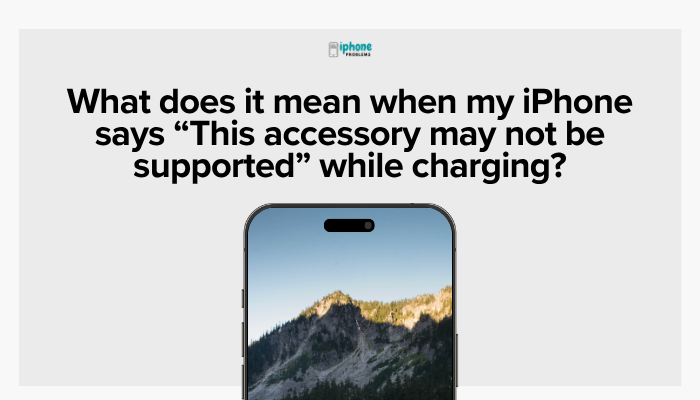
This guide will explain what causes this message, how to fix it, and how to prevent it from happening again.
⚠️ What Triggers the “Accessory Not Supported” Error?
This message typically appears when your iPhone detects something wrong with the accessory. The issue can be caused by:
- Uncertified or counterfeit accessories
- Damaged or frayed cables
- Debris or corrosion in the charging port
- Software bugs or outdated iOS
- Incompatible power adapters
- Power delivery issues from USB ports (e.g., in cars or computers)
✅ What Does Apple Mean by “Supported”?
Apple uses a program called MFi (Made for iPhone/iPad/iPod) to certify third-party accessories. MFi-certified products:
- Contain an Apple-authenticated chip
- Have passed Apple’s quality and safety tests
- Work reliably with all iOS versions
If a cable or adapter is not MFi-certified, iOS may block it or display the warning message.
🔍 Common Scenarios When the Message Appears
Using a Cheap or Fake Cable
- Generic or knockoff Lightning cables often lack the authentication chip
- These cables may work for a short time, then fail or trigger the message
Cable or Connector Damage
- Frayed wires, bent tips, or corrosion on the Lightning connector can interfere with data and power delivery
- Even small physical damage can cause system alerts
Dirty or Blocked Charging Port
- Lint, dust, or moisture in the charging port can block signal recognition
- This can cause the phone to reject a working cable
Power Source Issues
- Charging from a low-power USB port (e.g., in a car or computer) can lead to unstable current and trigger the error
- Some external battery packs or wall adapters also lack proper voltage regulation
iOS Compatibility
- Older accessories might not be compatible with newer iOS versions
- Bugs in iOS may falsely trigger accessory errors
🔧 How to Fix “This Accessory May Not Be Supported”
Here are some proven steps to resolve the issue:
Unplug and Replug the Accessory
- Sometimes the warning is a one-time glitch. Remove the cable and plug it back in after a few seconds.
Restart Your iPhone
- Go to Settings > General > Shut Down, or perform a force restart
- Rebooting clears system memory and resets USB accessory detection
Inspect and Clean the Charging Port
- Use a toothpick, anti-static brush, or compressed air to gently clean the Lightning port
- Avoid using metal tools or liquids
Check the Cable and Adapter
- Inspect for any visible damage, fraying, or loose connections
- Try another MFi-certified cable and power adapter to isolate the issue
Update iOS
- Go to Settings > General > Software Update
- Apple sometimes fixes accessory detection bugs in iOS updates
Try a Different Power Source
- Use a wall outlet with a certified adapter instead of a USB port or car charger
🔌 How to Avoid This Message in the Future
To prevent this issue from recurring:
- Always use Apple or MFi-certified Lightning cables
- Avoid ultra-cheap cables with no clear branding or packaging
- Buy accessories from reputable retailers like Apple, Amazon, Best Buy, or the manufacturer’s official site
- Keep the charging port clean and dry
- Avoid charging your phone in hot or humid environments
- Use original adapters for power delivery (especially for fast charging)
🧾 What If the Accessory Is Certified?
If you’re sure your cable is MFi-certified and in good condition, but the message still appears:
- Try the same cable on another iPhone to verify it works
- Try a different cable on your iPhone
- Contact Apple Support if the problem persists—your iPhone’s Lightning port may be failing
You can also use Apple’s MFi Accessory Checker:
https://mfi.apple.com/account/accessory-search
📱 Special Case: Wireless Chargers
If using a wireless charger or MagSafe accessory, ensure it is Qi-certified or MagSafe-compatible. Low-quality or misaligned chargers may:
- Trigger accessory errors
- Fail to charge efficiently
- Cause overheating
Stick to trusted brands like Belkin, Anker, Nomad, ESR, or Apple.
Summary
The “This accessory may not be supported” message is your iPhone’s way of warning you that something may be wrong with the charging setup—most often an uncertified cable or damaged accessory. While sometimes the issue is minor, such as dirt in the port or a temporary glitch, repeated occurrences mean it’s time to switch to a certified, reliable cable and charger.
Quick Troubleshooting Checklist:
| Issue | Fix or Solution |
| Uncertified cable | Replace with MFi-certified cable |
| Frayed or damaged wire | Stop using and dispose of safely |
| Dirty charging port | Gently clean with anti-static brush or tool |
| Incompatible power source | Use official wall adapter |
| iOS bug | Update to the latest iOS version |
| Repeated errors | Test with another iPhone or contact Apple |
Meta Description:
iPhone says “This accessory may not be supported” while charging? Learn what it means, how to fix it, and how to avoid future charging problems with safe, Apple-certified accessories.