

If your iPhone feels unusually warm to the touch, or you receive a warning that says, “iPhone needs to cool down before you can use it,” it means your device is overheating. While it’s normal for iPhones to get slightly warm during charging or intensive use, consistent or extreme overheating can indicate a deeper issue.
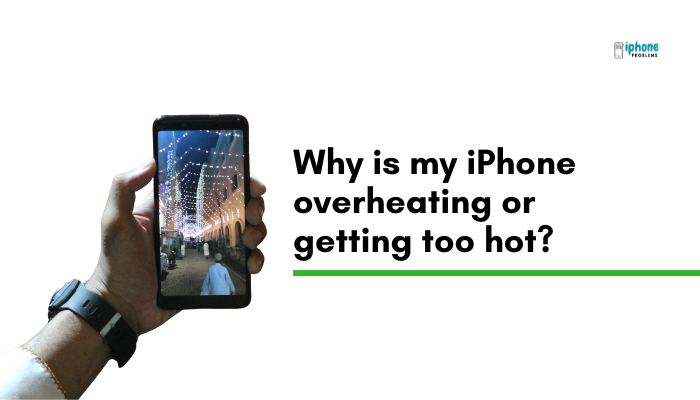
In this article, we’ll explain why your iPhone may be overheating, what activities contribute to excess heat, how to fix it, and how to prevent it from happening again.
🔥 Is It Normal for iPhones to Get Warm?
Yes, iPhones can warm up during:
- Initial setup or iOS updates
- High-performance tasks like gaming or video editing
- Streaming HD video over mobile networks
- Charging—especially fast charging or wireless charging
This temporary heat is expected. But if your iPhone becomes too hot to hold, shuts down, or displays a temperature warning, it’s overheating and needs immediate attention.
🧠 Common Causes of iPhone Overheating
Heavy Processor Usage
Running power-hungry apps or multitasking excessively can strain the CPU and GPU.
Examples:
- Gaming (especially AR or 3D games)
- Long FaceTime or video calls
- Video editing or rendering
- Using GPS navigation for extended periods
Hot Environment or Direct Sunlight
Your iPhone performs best between 0° to 35°C (32° to 95°F). Leaving it in a hot car, under direct sun, or near a heat source can trigger a thermal warning.
Charging Issues
Overheating during charging can result from:
- Using non-certified cables or chargers
- Charging while using the device intensively
- Wireless charging in poorly ventilated areas
Background Activity
After a system update or app restore, your iPhone may process data in the background (like indexing photos or downloading app content), which increases heat output.
Battery or Hardware Problems
A damaged or swollen battery, internal short circuits, or failing components can cause the device to overheat—even when idle.
⚠️ If your iPhone feels hot while doing nothing, it might be a hardware issue requiring service.
App Bugs or Software Glitches
Some poorly optimized apps can run indefinitely in the background, causing heat buildup.
Check in:
Settings > Battery → Look for apps consuming too much battery even with little usage.
🛠 What to Do If Your iPhone Is Overheating
✅Stop Using the Device
- Exit all apps
- Lock the screen
- Place it in a cool, shaded area
✅Remove the Case
Some thick or poorly ventilated cases can trap heat. Removing the case can help the iPhone cool more efficiently.
✅Disable Background Processes
- Turn on Low Power Mode:
Settings > Battery > Low Power Mode - Close unused apps running in the background
✅Turn Off Unused Features
- Disable Bluetooth, Wi-Fi, or GPS if not needed
- Turn off background app refresh:
Settings > General > Background App Refresh
✅ Avoid Charging During Use
Using the phone while charging—especially for gaming or video calls—significantly raises temperature. Let it charge while idle.
⚠️ What Not to Do When Your iPhone Overheats
- Do not place it in a refrigerator or freezer—this can cause condensation and damage the internal components.
- Do not ignore persistent overheating—it can lead to battery damage or permanent hardware failure.
📉 Effects of Overheating on iPhone Performance
When your iPhone gets too hot, iOS automatically throttles or disables certain features to protect internal components. You may notice:
- Slower performance
- Dimming of the screen
- Sluggish touch response
- Paused charging
- Disabled camera flash
- “Temperature” warning message on screen
🧪 How to Prevent iPhone Overheating
- Avoid using your phone in direct sunlight, especially during summer.
- Use Apple-certified chargers and accessories only.
- Don’t stack it with other electronics while charging.
- Close unused apps running in the background.
- Keep iOS and all apps updated to fix performance bugs.
- Use Airplane Mode when signal is weak (searching for service heats up the phone).
🆘 When to Contact Apple Support
You should contact https://support.apple.comor visit an Apple Store if:
- Your iPhone overheats even when idle
- It shuts down or shows a temperature warning frequently
- The battery is swollen or the screen is lifting
- You suspect hardware or charging port issues
✅ Summary: Why Your iPhone Is Overheating
iPhone overheating is usually caused by heavy usage, high ambient temperatures, background activity, or charging problems. While it’s normal for your iPhone to get warm at times, consistent overheating signals that something needs attention.
Quick Fixes:
| Problem | Solution |
| High-performance app usage | Close apps or reduce screen brightness |
| Charging while hot | Remove case and avoid using during charge |
| Outdoor heat/sunlight | Move to a cooler, shaded area |
| App or iOS bugs | Update software and restart device |
| Hardware issue | Contact Apple Support |
![Why are some incoming calls labeled “Maybe- [Name]” on my iPhone?](https://iphoneproblems.org/wp-content/uploads/2025/05/Why-are-some-incoming-calls-labeled-Maybe-Name-on-my-iPhone.jpg)