
How Do I Reset or Recover the Screen Time Passcode on My iPhone If I Forgot It?
Complete Guide – Minimum 800 Words Forgetting your Screen Time passcode on your iPhone can be frustrating, especially if you're locked out of content, apps, or parental controls. Fortunately, Apple offers multiple secure methods to help you reset or recover...
Read More
How Do I Set Up Family Sharing on My iPhone to Share Apps and Services?
Apple’s Family Sharing feature allows you to share purchases, subscriptions, iCloud storage, location, and more with your family members—all without needing to use the same Apple ID. It’s ideal for families who want to stay connected while saving money on...
Read More
How Do I Merge Duplicate Contacts on My iPhone?
Having duplicate contacts on your iPhone can lead to confusion, clutter, and even missed calls or messages. Whether the duplicates came from syncing multiple accounts (like iCloud, Gmail, or Outlook), restoring from backup, or importing a contact list, Apple provides...
Read More
Why Do Some of My Contacts Show Up as Numbers Only (No Name) on My iPhone?
If some of your contacts are suddenly showing up as phone numbers only (no names) on your iPhone—especially in the Messages, Phone, or WhatsApp apps—you’re not alone. This frustrating issue is common among iPhone users and typically happens due to...
Read More
How Do I Export or Back Up My iPhone Contacts?
Your contacts are one of the most important data sets on your iPhone. Whether you’re switching phones, preparing for a factory reset, or just want peace of mind, it’s a smart idea to export or back up your iPhone contacts....
Read More
How Do I Import Contacts from a SIM Card or Another Phone to My iPhone?
Switching to an iPhone and wondering how to bring your old contacts with you? Whether your contacts are stored on a SIM card, another iPhone, or an Android device, Apple provides multiple ways to import, sync, or transfer contacts safely...
Read More
How Do I Sync My Contacts and Calendars from Google/Outlook to My iPhone?
Syncing your Google or Outlook contacts and calendars to your iPhone makes it easy to stay connected, organized, and up to date across all your devices. Whether you use Gmail and Google Calendar, or Outlook and Microsoft 365, Apple allows...
Read More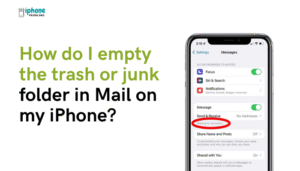
How Do I Empty the Trash or Junk Folder in Mail on My iPhone?
Cleaning out your email Trash or Junk folders on your iPhone is an important step in keeping your inbox organized and your email storage under control. Messages in these folders don’t stay forever—they usually get deleted automatically after a set...
Read More
Why Can’t I Delete Certain Emails on My iPhone? (Archive vs Trash Issues)
Are you trying to delete emails on your iPhone but instead they get archived—or worse, nothing happens at all? This is a common issue many iPhone users face, especially when dealing with Gmail, Yahoo, or other third-party email services. In...
Read More
How Do I Use the Files App on My iPhone to Manage Email Attachments or Documents?
Apple’s Files app turns your iPhone into a mini file manager, giving you the ability to store, access, organize, and share documents and email attachments all in one place. Whether you're working with PDFs, Word documents, spreadsheets, images, or ZIP...
Read More