
How Do I Activate iMessage and FaceTime on My New iPhone (or After Resetting)?
Setting up a new iPhone or restoring one after a reset is exciting—but you may run into a common snag: iMessage and FaceTime not activating properly. These essential Apple services require a quick activation process before you can start sending...
Read More
Why Am I Not Receiving SMS Texts from Android Users on My iPhone?
If you’re not receiving SMS texts from Android users on your iPhone, it can be both confusing and frustrating—especially if you're receiving iMessages from iPhone users just fine. While iMessage handles Apple-to-Apple messaging, communication with Android or non-Apple phones depends...
Read More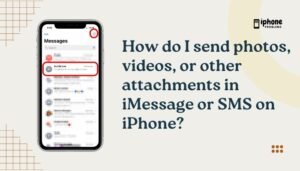
How Do I Send Photos, Videos, or Other Attachments in iMessage or SMS on iPhone?
Sending photos, videos, documents, and other attachments from your iPhone is quick and simple—whether you're texting another iPhone user via iMessage or communicating with an Android user via SMS/MMS. The built-in Messages app supports multiple file types and offers direct...
Read More
Why Can’t I Send or Receive Picture Messages (MMS) on My iPhone?
Picture messages—or MMS (Multimedia Messaging Service)—allow iPhone users to send photos, videos, and other media to people who are not using iMessage (e.g., Android users). While iMessage (blue bubbles) works seamlessly over Wi-Fi or data, MMS relies on your cellular...
Read More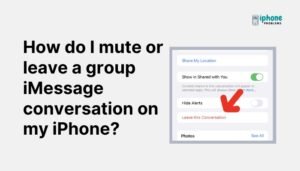
How Do I Mute or Leave a Group iMessage Conversation on My iPhone?
Group chats on iPhone can be fun, helpful, and efficient—but sometimes they become too noisy. If you're overwhelmed by constant notifications or simply no longer want to be part of a group iMessage conversation, your iPhone gives you two great...
Read More
How Do I Pin a Conversation in Messages to the Top of the List on My iPhone?
Apple’s Messages app has introduced a handy feature that allows you to pin conversations to the top of your screen—so you never lose track of important chats. Whether it's your family group, your best friend, or a critical work thread,...
Read More
Why Are My iPhone Text Messages (iMessages) Not Being Delivered or Sent?
When your iPhone’s iMessages fail to send or show the dreaded “Not Delivered” message, it can be frustrating—especially when you're trying to reach someone urgently. Apple’s iMessage system usually works flawlessly over Wi-Fi or cellular data, but when things go...
Read More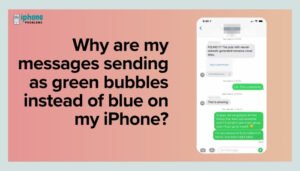
Why Are My Messages Sending as Green Bubbles Instead of Blue on My iPhone?
Apple’s Messages app uses two different types of text messaging systems: iMessage and SMS/MMS. Messages sent as blue bubbles indicate they were delivered via iMessage, Apple’s encrypted internet-based messaging service. Green bubbles, on the other hand, mean the message was...
Read More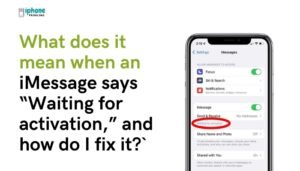
What Does It Mean When an iMessage Says “Waiting for Activation,” and How Do I Fix It?
If you’ve recently set up a new iPhone, changed your SIM card, or updated iOS, you may see a frustrating message in the Messages app: “iMessage Waiting for Activation.” This notification means that your iPhone is trying to enable iMessage...
Read More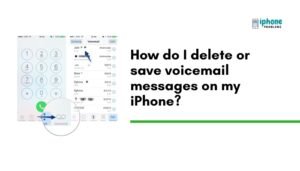
How Do I Delete or Save Voicemail Messages on My iPhone?
Managing voicemail messages on your iPhone is essential for staying organized and keeping your inbox clutter-free. Whether you want to delete old voicemails or save important ones, the iPhone makes this process easy through the Visual Voicemail interface. You can...
Read More