
How Do I Enable AssistiveTouch and What Can I Do With It on My iPhone?
AssistiveTouch is one of the most helpful accessibility features on the iPhone. It provides an on-screen touch interface that allows you to perform physical gestures (like pressing the Side button, swiping, or pinching) using simple taps on a virtual menu....
Read More
How Do I Share My Location with Someone Using My iPhone?
Whether you're coordinating with friends, meeting up with family, or ensuring someone knows you're safe, your iPhone makes it easy to share your location. With features built into Find My, Messages, and Apple Maps, you can choose how and with...
Read More
How Do I Enable Voice Control or Switch Control to Operate My iPhone Hands-Free?
If you're looking to operate your iPhone hands-free, Apple provides two powerful accessibility tools—Voice Control and Switch Control. These features allow users to interact with their devices using spoken commands or adaptive switches, enabling full control without relying on touch....
Read More
How Do I Use the Magnifier on My iPhone to Zoom In on Small Text?
The Magnifier on your iPhone turns your device into a powerful digital magnifying glass. Whether you're trying to read fine print, inspect small objects, or enhance visibility in low-light conditions, the Magnifier app offers zoom, contrast, flashlight, and filter options...
Read More
How Do I Use the Compass or Measure App on My iPhone?
Your iPhone includes powerful built-in tools like the Compass and Measure apps that turn your device into a handy digital compass, level, and even a tape measure. Whether you're hiking, hanging artwork, or checking the slope of a surface, these...
Read More
How Do I Use Do Not Disturb or Focus Modes on My iPhone to Minimize Interruptions?
If you want to reduce distractions during meetings, sleep, workouts, or personal time, Do Not Disturb and the more advanced Focus modes on your iPhone can help. These tools let you control which notifications, messages, and calls can reach you—so...
Read More
How Do I Schedule Do Not Disturb or a Focus Mode (Like Sleep or Work) on My iPhone?
Apple's Focus modes—including Do Not Disturb, Sleep, Work, and custom modes—let you reduce distractions and control how and when notifications reach you. Scheduling these modes is especially useful if you want them to turn on and off automatically based on...
Read More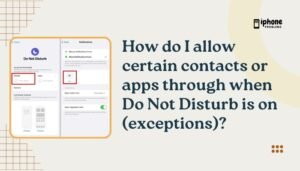
How Do I Allow Certain Contacts or Apps Through When Do Not Disturb Is On (Exceptions)?
Apple's Do Not Disturb (DND) and Focus modes are designed to silence calls, alerts, and notifications when you need peace and quiet. But what if you still want to allow specific people (like family or your boss) or certain apps...
Read More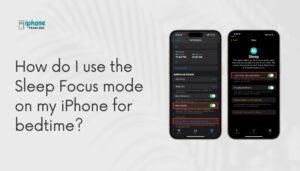
How Do I Use the Sleep Focus Mode on My iPhone for Bedtime?
The Sleep Focus mode on your iPhone is designed to help you wind down, reduce distractions, and get better rest. Integrated with the Health and Clock apps, Sleep Focus silences notifications, dims the Lock Screen, and limits access to distracting...
Read More
How Do I Use Do Not Disturb While Driving on My iPhone to Avoid Distractions?
Text messages, app alerts, and incoming calls can be dangerously distracting while you're behind the wheel. That’s why Apple introduced Do Not Disturb While Driving—a feature built into iOS that helps you stay focused on the road by silencing notifications...
Read More