

What Is Airplane Mode on My iPhone, and When Should I Use It?
Airplane Mode is a feature available on all iPhones that disables your device's wireless communication capabilities with a single tap. Despite the name, it’s not just useful while flying. Airplane Mode can help in a variety of situations—from saving battery...
Read More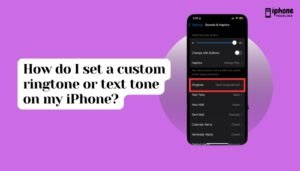
How Do I Set a Custom Ringtone or Text Tone on My iPhone?
Your iPhone comes with a selection of default ringtones and text tones, but you can personalize your experience by setting custom sounds—whether it’s a favorite song, a voice clip, or a unique sound file. Custom ringtones and alert tones make...
Read More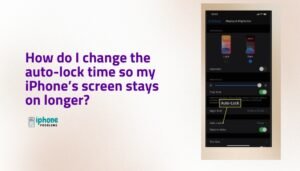
How Do I Change the Auto-Lock Time So My iPhone’s Screen Stays On Longer?
Your iPhone is designed to save power and protect your data by automatically locking the screen after a period of inactivity. While this Auto-Lock feature helps preserve battery life and prevent accidental touches, there are times when you may want...
Read More
How can I show the battery percentage on my iPhone’s status bar?
Keeping track of your iPhone’s battery life is important, especially when you're on the go, using power-hungry apps, or trying to conserve energy. One of the most precise ways to monitor this is by enabling the battery percentage indicator in...
Read More
How do I organize or move apps into folders on my iPhone’s Home Screen?
Your iPhone’s Home Screen can get cluttered quickly, especially after installing lots of apps. The good news is that Apple lets you organize your apps neatly into folders — allowing you to group similar apps (like social media, games, finance,...
Read More
How do I delete or uninstall apps on my iPhone?
Over time, your iPhone can become cluttered with apps you no longer use. These unused apps not only take up storage but may also run in the background or clutter your Home Screen. Fortunately, Apple makes it easy to delete...
Read More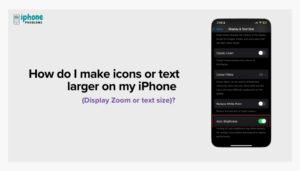
How Do I Enable or Disable Auto-Brightness on My iPhone?
Your iPhone screen adjusts its brightness automatically depending on the light around you—thanks to a feature called Auto-Brightness. While this is designed to enhance your visual experience and save battery life, some users prefer to control brightness manually. Whether you're...
Read More
How do I change the wallpaper on my iPhone?
Your iPhone's wallpaper is the first thing you see when you pick up your device — and personalizing it can make your phone feel truly yours. Apple offers built-in wallpapers and also allows you to use your own photos, letting...
Read More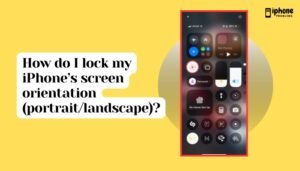
How Do I Lock My iPhone’s Screen Orientation (Portrait or Landscape)?
Your iPhone is designed to rotate its screen automatically based on how you're holding it. This feature, known as Auto-Rotation, switches between portrait (vertical) and landscape (horizontal) orientation for a better viewing experience in apps like Safari, Photos, and YouTube....
Read More
Can I Change the System Font on My iPhone?
The iPhone offers a sleek and consistent design across its user interface, including a clean and legible system font known as San Francisco. Since iOS 9, Apple has used this proprietary font for all menus, apps, settings, and system labels....
Read More