An iPhone battery is built to last, but like all rechargeable batteries, it gradually loses capacity over time. Apple uses lithium-ion batteries in all iPhones, and these degrade with each charge cycle. But what exactly counts as “significant degradation”? How long does it take to get there? And how can you delay it?
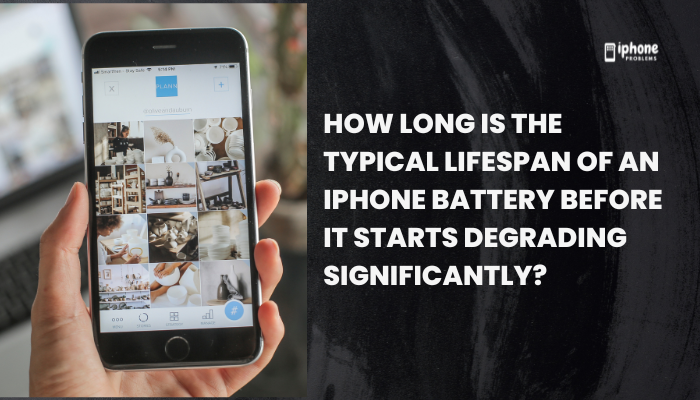
On average, an iPhone battery begins to show noticeable signs of degradation after 18 to 24 months of typical daily use. However, actual lifespan varies based on your usage habits, charging behavior, and environmental conditions.
This article breaks down the battery’s expected life, what Apple considers a healthy battery, how to monitor battery health, and how to prolong it.
🔋 Apple’s Official Battery Life Expectation
According to Apple, iPhone batteries are designed to retain up to 80% of their original capacity after 500 full charge cycles under normal conditions.
What’s a full charge cycle?
One charge cycle = 100% of battery use (not necessarily in one go).
Example:
- If you use 60% today and recharge, then 40% tomorrow and recharge again, that equals 1 full cycle.
500 cycles typically take 1.5 to 2 years of daily use.
✅ At 80% battery health, your iPhone still works normally, but you may notice shorter battery life between charges.
📉 When Does Battery Degradation Become “Significant”?
Signs your battery is significantly degraded:
- Battery Health drops below 80% (visible in Settings)
- iPhone doesn’t last a full day on one charge
- Unexpected shutdowns during high performance tasks
- Charging takes longer than usual
- iOS reduces performance to preserve battery stability (you may see a message under Battery > Battery Health & Charging)
⚠️ Below 80%, your battery’s performance may be throttled to avoid crashes or shutdowns.
📱 Typical Lifespan in Real-World Use
Here’s a general timeline for how long your iPhone battery may last before significant degradation:
| Usage Type | Expected Time to 80% Health |
| Light (occasional use) | 2.5 to 3 years |
| Moderate (daily use) | 1.5 to 2 years |
| Heavy (gaming, video) | 1 to 1.5 years |
These estimates vary based on:
- Charging habits (overnight vs. partial top-ups)
- Temperature exposure (heat accelerates degradation)
- Screen time and background activity
- Charging speed and accessory quality
🧪 How to Check Your iPhone’s Battery Health
You can monitor your battery health in iOS:
- Open Settings
- Tap Battery
- Select Battery Health & Charging
Here you’ll see:
- Maximum Capacity: shows your battery’s current capacity compared to when new
- Peak Performance Capability: indicates if the battery supports full performance
- Optimized Battery Charging toggle (should be ON)
📊 If Maximum Capacity is above 90%, your battery is in great shape. If it drops below 80%, Apple may recommend a battery replacement.
🔋 How Battery Health Affects iPhone Performance
Once your battery drops below a certain health level:
- iOS may apply performance management to prevent crashes
- App loading times, camera performance, and multitasking may be affected
- You may see warnings like:
“Your battery’s health is significantly degraded.”
Apple introduced these safeguards after iPhone shutdown issues in earlier iOS versions. If needed, you can disable performance management manually (but it may lead to instability).
🔄 When Should You Replace Your Battery?
Consider a replacement if:
- Battery Health is below 80%
- Your iPhone no longer lasts through the day
- Charging cycles are irregular or unreliable
- iOS prompts you with battery service recommendations
Apple offers battery replacement services for a fee, or for free if your device is under AppleCare+.
📦 Replacement gives your iPhone a fresh battery with 100% capacity, often restoring full-day usage and performance.
🧰 Tips to Extend Battery Lifespan
- Keep battery between 20%–80%
Avoid letting it hit 0% or sit at 100% constantly. - Enable Optimized Battery Charging
Slows charging after 80% during overnight charging. - Avoid heat
Don’t charge your phone in hot areas or leave it in sunlight. - Use Apple-certified chargers
Unreliable accessories may deliver inconsistent voltage. - Charge in small bursts when possible
Topping up from 40% to 80% is easier on the battery than going from 0 to 100%.
✅ Summary: What to Expect from Your iPhone Battery
The typical iPhone battery begins to degrade noticeably after 500 charge cycles, or 18 to 24 months of regular use. Most users will see their battery health drop to around 80% after 1.5 to 2 years, depending on how they use and charge their phone.
Good battery habits can extend lifespan, reduce degradation, and delay the need for a replacement.
Battery Health Recap:
| Metric | Recommendation |
| Ideal battery health range | 85% – 100% |
| Consider replacement | Below 80% |
| Full charge cycles | 500 (average) |
| Lifespan before significant wear | 1.5 – 2.5 years |
| Check status | Settings > Battery > Battery Health |
Meta Description:
How long does an iPhone battery last before degrading? Learn how many charge cycles iPhones can handle, when battery health drops, and how to prolong your battery’s lifespan.