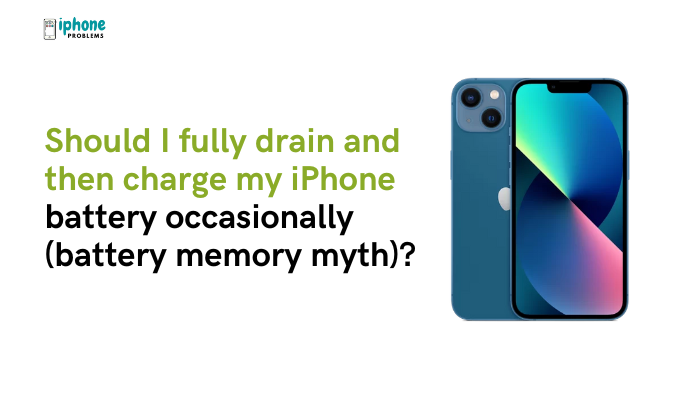
You may have heard the advice to fully drain your iPhone’s battery before recharging it—often based on the old idea of “battery memory.” But does this actually help modern smartphones? The short answer is no—fully discharging your iPhone battery is not necessary and may actually harm it over time.
Modern iPhones use lithium-ion batteries, which behave very differently from older battery technologies like nickel-cadmium (NiCd). The idea of “battery memory” is outdated, and applying it to your iPhone can reduce battery lifespan rather than improve it.
In this article, we’ll explain the battery memory myth, how lithium-ion batteries work, and the best practices for charging your iPhone to preserve long-term battery health.
📉 What Is the Battery Memory Myth?
The “memory effect” was a phenomenon observed in older rechargeable batteries, such as:
- Nickel-Cadmium (NiCd)
- Nickel-Metal Hydride (NiMH)
In these batteries, if you consistently charged them before they were fully drained, they would “remember” a reduced capacity and start holding less charge over time.
Because of this, users were advised to fully discharge and recharge the battery occasionally to “reset” its memory.
🔍 Lithium-ion batteries do not suffer from memory effect. This myth does not apply to modern smartphones like the iPhone.
🔋 How Do Lithium-Ion Batteries Work?
Apple uses lithium-ion polymer batteries in iPhones. These batteries are more efficient and longer-lasting than older chemistries.
Key Characteristics:
- No memory effect
- Capable of partial charging without loss of capacity
- Designed for optimal performance between 20% and 80%
- Sensitive to heat and overcharging
Because of these properties, frequent full discharges can accelerate wear, especially if the battery dips below 5% frequently.
❌ Why You Should Avoid Fully Draining Your iPhone Battery
Full discharges stress the battery
Lithium-ion batteries experience more wear when you let them fall to 0% or shut off completely. This shortens the battery’s overall lifespan.
Deep discharge risks battery calibration issues
Occasionally letting your iPhone die can confuse the battery management system, leading to inaccurate percentage readings.
You risk data loss or interruptions
Letting your phone die unexpectedly can interrupt apps, uploads, and critical tasks.
🔋 Apple recommends avoiding letting your iPhone regularly reach 0%. Occasional full discharges won’t kill the battery, but making it a habit is harmful.
✅ Best Practices for Charging Your iPhone
Here’s how to properly charge your iPhone to extend battery lifespan:
Charge between 20% and 80%
- This range minimizes voltage stress on the battery.
- Avoid letting the battery drop below 10% too often.
Use Optimized Battery Charging
- Go to Settings > Battery > Battery Health & Charging and enable Optimized Battery Charging.
- This feature learns your routine and delays charging past 80% until you need it.
Enable 80% Charging Limit (iPhone 15 and later)
- Keeps the phone from fully charging, which is gentler on the battery.
- Found in Battery Health & Charging > Charging Optimization > 80% Limit
Avoid charging overnight at 100%
- While iPhones have built-in safeguards, keeping your battery at 100% for long periods creates heat and voltage stress.
Keep your iPhone cool
- Avoid charging in direct sunlight or under blankets.
- Heat speeds up battery aging.
🧪 What About Calibration?
Some users confuse calibrating the battery indicator with improving battery health.
Do I need to calibrate my iPhone battery?
No—Apple no longer recommends calibration for iPhones.
However, if your battery percentage seems inaccurate (e.g., jumping from 30% to 0%), you can try:
- Charging your iPhone to 100%
- Using it until it shuts down
- Charging uninterrupted to 100% again
This can recalibrate the battery indicator, but it’s not necessary for most users and should not be done regularly.
📈 How to Check Battery Health
- Go to Settings > Battery > Battery Health & Charging
- Look at:
- Maximum Capacity: Indicates remaining battery health
- Peak Performance Capability: Tells you if the battery can handle power demands
- Service Warning: Appears if the battery is significantly degraded (typically below 80%)
If your battery health is dropping faster than expected, consider reviewing your charging habits or consulting Apple Support.
✅ Summary: No Need to Fully Drain Your iPhone Battery
The belief that fully discharging your battery helps maintain its health is a myth that stems from outdated battery technology. Modern iPhones use lithium-ion batteries, which work best when kept between 20% and 80%, charged in short bursts, and protected from overheating.
Quick Charging Tips:
| Tip | Why It Helps |
| Avoid full discharges (0%) | Prevents deep-cycle stress |
| Don’t charge to 100% constantly | Reduces voltage strain |
| Enable Optimized Battery Charging | Smarter charging behavior |
| Keep battery between 20–80% | Ideal range for lithium-ion batteries |
| Avoid heat during charging | Slows battery aging |
Meta Description:
Should you fully drain your iPhone battery before recharging it? No. Learn why the battery memory myth doesn’t apply to iPhones and how to charge properly to preserve battery health.