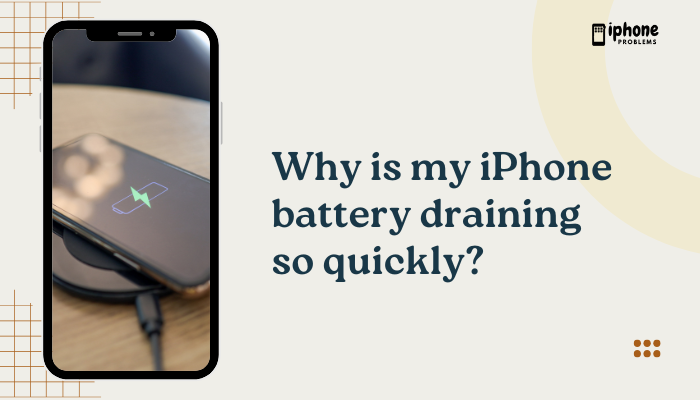
If you want your iPhone’s battery to stay healthy and last longer, how and when you charge it matters. While today’s iPhones use advanced lithium-ion batteries with built-in battery management systems, your daily charging habits still influence long-term battery health and capacity.
The best way to charge your iPhone for battery longevity involves keeping it within ideal charge levels, avoiding extreme heat, using certified chargers, and enabling Apple’s built-in battery optimization features. Let’s dive into the details, including which battery percentages are best.
🔋 Understanding iPhone Battery Chemistry
Your iPhone uses a lithium-ion battery, which:
- Charges faster than older battery types
- Supports hundreds of charge cycles (one full cycle = 0% to 100%)
- Degrades over time, especially when exposed to heat or kept at high charge levels too often
Key factors affecting battery health:
- Charging to 100% regularly
- Letting the battery drop to 0% too often
- Excessive heat while charging
- Rapid charging when the phone is already hot
Apple’s software manages charging intelligently, but your habits still make a difference.
✅ Best Battery Percentage Range for Longevity
🔄 Ideal charging range: 20% to 80%
Keeping your iPhone battery between 20% and 80% can significantly reduce stress on the battery, extending its lifespan. Here’s why:
- Charging from 0% to 100% generates more heat and chemical wear.
- Lithium-ion batteries age faster when kept at 100% or allowed to fully drain repeatedly.
- Staying within the 20–80% range minimizes voltage strain and heat buildup.
📌 You don’t need to panic if you occasionally hit 100% or 0%—but try to avoid it as a daily habit.
📲 Charging Habits That Promote Battery Longevity
Avoid Keeping Your iPhone at 100% for Long Periods
- Charging to full occasionally is okay.
- Try not to leave it plugged in overnight every night.
- If you do charge overnight, enable Optimized Battery Charging.
Don’t Let the Battery Drop to 0% Frequently
- Deep discharges (going all the way to 0%) increase cycle wear.
- Instead, recharge when your battery drops to around 20–30%.
Enable “Optimized Battery Charging”
- Found in: Settings > Battery > Battery Health & Charging
- This feature learns your routine and delays charging beyond 80% until you need the phone.
- Helps minimize time spent at 100%, which protects the battery from stress.
Avoid Charging in Hot Environments
- Heat is one of the biggest enemies of battery health.
- Don’t charge under pillows, in direct sunlight, or inside hot cars.
- Remove bulky or heat-trapping cases while charging if the phone gets warm.
Use Apple-Certified Chargers
- Use Apple or MFi-certified cables and adapters.
- Avoid cheap or unverified charging accessories, which may provide unstable voltage and generate excess heat.
Use Low Power Mode When Needed
- Helps reduce battery usage and extend time between charges.
- Especially useful when your battery is low and you want to avoid deep discharge.
⚡ Fast Charging vs. Regular Charging: Does It Harm the Battery?
Apple supports fast charging with a 20W USB-C adapter, and it’s safe to use. However:
- Fast charging can generate more heat, especially above 80%.
- For longevity, fast charge only when needed.
- Let your phone rest while fast charging—avoid gaming or video streaming during the process.
🧊 If the phone gets hot, unplug it and let it cool before continuing.
🧪 Should You Calibrate the Battery?
No, lithium-ion batteries do not require calibration. There’s no benefit in regularly draining your battery to 0% and charging to 100%.
- Apple’s system automatically manages and tracks battery health.
- Full cycles may be useful only when battery percentage readings are inaccurate or after software updates, and even then, Apple rarely recommends it.
📉 Monitor Battery Health
You can check your iPhone’s battery health anytime:
- Go to Settings > Battery > Battery Health & Charging
- Look at Maximum Capacity: this shows how much charge your battery can hold compared to when new.
- Healthy batteries typically stay above 85–90% for the first 1–2 years.
If your battery health drops below 80% and you notice performance issues, consider getting the battery replaced through Apple Support.
✅ Summary: Best Charging Practices for Battery Longevity
To get the most life out of your iPhone battery, follow these expert-backed habits:
| Tip | Why It Matters |
| Charge between 20% and 80% | Reduces chemical stress and wear |
| Use Optimized Battery Charging | Limits full charges during idle times |
| Avoid extreme heat while charging | Prevents overheating and damage |
| Use certified chargers only | Ensures stable and safe charging |
| Avoid deep discharge to 0% | Reduces cycle strain |
| Let the phone rest while charging | Keeps temperature and load low |
Meta Description:
Want your iPhone battery to last longer? Discover the best way to charge your iPhone—ideal battery percentages, charging habits, and tips to protect battery health and longevity.