If your iPhone gets noticeably hot while you’re gaming or using certain apps, you’re not alone. While some heat generation is normal, excessive heat can be a sign that your device is under strain or not being used optimally. High temperatures can affect performance, battery life, and long-term device health.
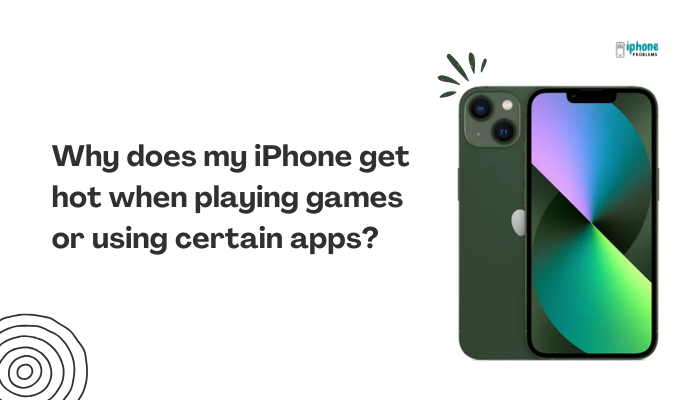
This article explains why your iPhone heats up during gameplay or app usage, when it’s considered normal, and what steps you can take to cool it down and prevent overheating in the future.
🔥 Why Does Your iPhone Get Hot During Gaming or Heavy App Use?
High CPU and GPU Usage
Games and intensive apps like video editors, augmented reality (AR) tools, or 3D renderers demand a lot of processing power. When the CPU (central processing unit) and GPU (graphics processing unit) work hard, they consume more energy, which generates heat.
Constant Screen Refresh
Many modern games and apps run at high frame rates (up to 60Hz or 120Hz on newer iPhones). Rendering graphics at such speeds puts stress on the device, especially the display engine and GPU.
Background Processes
While you’re gaming, background processes such as:
- Music streaming
- Location services (GPS)
- Notifications
- Cloud syncing or app downloads
can all contribute to CPU load, adding to the heat buildup.
Charging While Playing
If you use your iPhone for gaming while it’s charging, especially with fast charging or wireless charging, it can quickly overheat due to combined heat from charging and processing.
Poorly Optimized Apps
Not all apps are efficiently coded. Some games or third-party apps may overuse hardware resources unnecessarily, leading to overheating. This is especially common in newer or lesser-known games.
⚠️ When Is It Normal vs. Problematic?
Normal Warming
- Device feels warm but not hot
- Happens during gameplay, video editing, or long video calls
- Resolves quickly after closing the app
Problematic Overheating
- Device becomes hot to the touch
- Frame rate drops or phone lags significantly
- iPhone dims the screen, disables the camera flash, or shows a temperature warning
- Phone shuts down or refuses to charge until it cools
🧊 What to Do When Your iPhone Gets Too Hot
✅Pause the Game or App
Give your device a break by exiting the app. Let it cool for a few minutes.
✅Remove the Case
Some phone cases, especially thick or insulated ones, trap heat. Remove the case temporarily while gaming to improve airflow.
✅Lower Game Settings
Many mobile games let you reduce:
- Frame rate
- Graphics quality
- Effects like shadows or reflections
This significantly reduces the load on your GPU and keeps your phone cooler.
✅Avoid Charging While Playing
If possible, don’t charge your iPhone while gaming. If charging is needed, use a certified charger and avoid playing demanding games during charging.
✅Close Background Apps
Swipe up (or use the App Switcher) and close unused apps. This frees up memory and reduces system strain.
🧼 How to Prevent Overheating in the Future
- Keep iOS and apps updated – Developers often release performance improvements and bug fixes
- Avoid direct sunlight – Playing outdoors can amplify heat generation
- Use Low Power Mode – It reduces background activity and processor speed slightly
- Restart your iPhone regularly – This clears cached processes that might accumulate heat
- Limit gaming sessions – Taking short breaks can help prevent sustained heat buildup
📉 How Overheating Affects Your iPhone
When your iPhone gets too hot:
- Performance throttling may occur (slower gameplay, frame drops)
- Battery health may degrade faster
- Certain features like wireless charging or flash may temporarily stop working
- It could shorten the lifespan of internal components if overheating becomes frequent
🧠 Understanding Thermal Management on iPhones
Apple designs iPhones with thermal management systems that:
- Spread and dissipate heat using internal shielding
- Automatically reduce performance if temperatures exceed safe limits
- Disable features like screen brightness, charging, or radio antennas when needed
You might not always see a warning, but your phone is silently adjusting its behavior to protect itself.
🆘 When to Contact Apple Support
You should reach out to https://support.apple.comor visit an Apple Store if:
- Your iPhone overheats even with light app usage
- You receive the temperature warning frequently
- The battery drains unusually fast during gaming
- Your iPhone gets hot even when idle or locked
These may indicate battery health problems or internal hardware damage.
✅ Summary: Why Your iPhone Heats Up During Gaming or App Use
Your iPhone gets hot during games or heavy apps because of intensive processor use, constant screen refresh rates, background tasks, or charging while in use. Occasional warmth is normal, but repeated overheating should be managed carefully to avoid damage.
Quick Tips to Stay Cool:
| Problem | Fix |
| High-performance games | Lower graphics settings or limit playtime |
| Using while charging | Avoid charging and gaming simultaneously |
| App causing heating | Update or delete poorly optimized apps |
| Background activity | Close unused apps and disable non-essential services |
| iPhone gets hot frequently | Contact Apple Support for diagnosis |