A common concern among iPhone users is whether leaving the device plugged in overnight causes overcharging and damages the battery. The good news is: modern iPhones are designed to prevent overcharging, thanks to intelligent battery management and safety features built into iOS and the device’s hardware.
That said, while overcharging isn’t an issue anymore, other factors—like heat, charging habits, and battery aging—still impact long-term battery health. This article explains how iPhones manage charging, why overnight charging is generally safe, and what you can do to maximize your battery’s lifespan.
🔋 Can iPhones Be Overcharged?
No. Apple devices use lithium-ion batteries along with advanced Battery Management Systems (BMS) that stop charging once the battery reaches 100%.
Here’s what happens when you leave your iPhone plugged in:
- It charges to 100%
- Charging is paused automatically
- It may draw small amounts of power periodically to maintain full charge (called trickle charging)
- Charging stops entirely if not needed
The system prevents continuous current flow to the battery after it’s full, which protects it from overcharging.
✅ Conclusion: You cannot overcharge your iPhone by leaving it plugged in overnight using Apple-certified accessories.
🧠 How Does Apple Prevent Overcharging?
Apple includes multiple features to reduce battery wear from overnight charging:
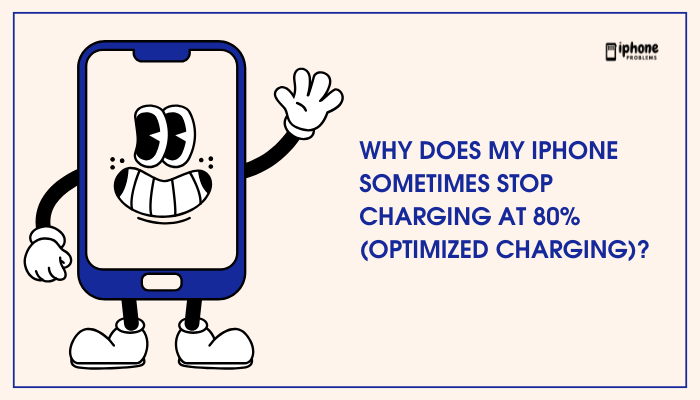
Optimized Battery Charging
- Introduced in iOS 13
- Learns your charging habits (e.g., if you charge overnight)
- Delays charging beyond 80% until just before you typically use the phone
- Reduces the time your phone spends at 100%, preserving battery health
Enable it via:
Settings > Battery > Battery Health & Charging > Optimized Battery Charging
Battery Management System
Apple’s internal charging system monitors:
- Voltage and current
- Battery temperature
- Charging cycles
When full, it cuts off or limits power to prevent overheating and chemical stress, even if left plugged in.
⚠️ What Can Harm the Battery Overnight?
While overcharging isn’t a concern, some environmental and usage factors during overnight charging can degrade battery health:
Heat Exposure
- Charging generates heat
- Keeping the iPhone under a pillow or on soft surfaces can trap heat
- High temperatures speed up battery aging
Tip: Charge your phone in a well-ventilated space, remove thick cases, and avoid covering the phone.
Cheap or Uncertified Chargers
Non-Apple or uncertified (non-MFi) chargers may:
- Deliver unstable voltage
- Cause overheating
- Lack proper shut-off features
🔌 Use only Apple-certified or MFi-certified accessories for safe overnight charging.
Charging While Using the Phone
Using your phone while charging, especially during overnight video streaming or gaming, increases:
- Power consumption
- Device temperature
- Battery strain
✅ Best practice: Let your iPhone rest while charging, especially overnight.
🧪 Does Leaving It Plugged In Overnight Affect Battery Health?
Yes—but only slightly, and not due to overcharging. The issue lies in keeping the battery at 100% for extended periods, especially in hot environments.
Why?
- Lithium-ion batteries age faster when kept at full charge
- High voltage and high temperature together accelerate chemical wear
Apple mitigates this with:
- Optimized charging
- Trickle charging
- Thermal regulation
✅ Occasional overnight charging is fine
⚠️ Daily, long-term overnight charging in hot conditions may gradually reduce battery health
🔋 How to Maintain iPhone Battery Health
To prolong battery lifespan, follow these practices:
✅ Enable Optimized Battery Charging
- Reduces time spent at 100%
- Extends battery life automatically
✅ Avoid Charging in Hot Environments
- Don’t charge in direct sunlight or under blankets
✅ Use Certified Chargers
- Apple or MFi-certified cables and adapters
✅ Avoid Constant Full Charges
- Keep battery between 20% and 80% when possible
✅ Let Your iPhone Rest Overnight
- Avoid using power-intensive apps while charging
✅ Check Battery Health Regularly
- Go to: Settings > Battery > Battery Health & Charging
- Monitor Maximum Capacity and enable Optimized Charging
✅ Summary: Overnight Charging Is Safe (But Be Smart)
Leaving your iPhone on the charger overnight is safe and won’t cause overcharging, thanks to Apple’s smart battery management features like optimized charging and trickle charge protection. However, prolonged high charge levels and heat can gradually reduce battery life.
To minimize wear:
- Use quality chargers
- Avoid heat
- Let your iPhone idle while charging
- Enable battery health features
Quick Do’s and Don’ts
| ✅ Safe Charging Habits | ❌ Risky Charging Habits |
| Use MFi-certified chargers | Use cheap or unverified chargers |
| Charge in a cool, flat area | Charge under pillows or warm surfaces |
| Enable optimized charging | Disable battery health features |
| Let the phone rest overnight | Stream/gaming while plugged in |
Meta Description:
Worried about overcharging your iPhone overnight? Learn why modern iPhones can’t overcharge, how Apple protects your battery, and what smart habits will help maintain battery health.