
How do I make icons or text larger on my iPhone (Display Zoom or text size)?
If you find the icons or text on your iPhone too small to comfortably read or tap, Apple offers built-in features like Display Zoom and Text Size adjustments that can help. These tools enhance visibility across apps, menus, and Home...
Read More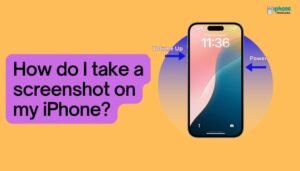
How do I take a screenshot on my iPhone?
Taking a screenshot on your iPhone is one of the easiest and most useful tools you can use. Whether you're capturing a text conversation, saving a payment confirmation, or grabbing a still from a video or map, screenshots let you...
Read More
How do I adjust text size or enable bold text on my iphone for better readability?
Your iPhone gives you full control over how text appears across the device—whether you need larger font sizes, bold text, or higher contrast for better visibility. These accessibility options are designed to make reading on your screen more comfortable, especially...
Read More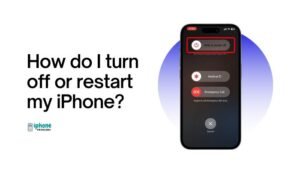
How do I turn off or restart my iPhone?
Knowing how to turn off or restart your iPhone is a basic but essential skill. Whether your phone is acting up, you're saving battery, or preparing for travel or repairs, powering off and restarting your iPhone can solve many minor...
Read More
iPhone Errors
Here are a few examples of common iPhone errors and some potential solutions: Error 56: This error is often caused by a hardware issue, such as a damaged Touch ID sensor or a faulty cable. Possible solutions include restarting your...
Read More
Creating Flashcards in GoodNotes: A Step-by-Step Guide
Here is a step-by-step guide on how to make flashcards in GoodNotes: Open GoodNotes and create a new document. To do this, tap the "+" button in the top right corner of the screen and select "Blank." This will open...
Read More
Troubleshooting the “No SIM” Error on Your iPhone: Step-by-Step Guide with Solutions
If your iPhone says "No SIM," there could be a few different issues causing the problem. Here are some potential solutions you can try to fix the issue: Restart your iPhone. Sometimes, simply restarting your device can resolve the issue....
Read More
iTunes Error 1604 : Solution
Here are the steps for resolving iTunes error 1604 with screenshot links for each step: Restart your computer and your iOS device. This can sometimes resolve the error. To restart your computer, click the Start menu and select the "Power"...
Read More
Best Working Methods on Android Emulator for iOS
Actually, it is not possible to download an Android emulator for iOS because iOS and Android are two different operating systems that are not compatible with each other. What is an Emulator? An emulator is a software program that allows...
Read More